
From the boxto your first session.
Creating your account & downloading the app.
- Download the HOROTAG app from the App Store or Google Play (see App page).
- Open the app, choose "Create my account". Email + password + username.
- Confirm your email via the link you receive (check your spam folder, it sometimes takes 1-2 min).
- Enable 2FA from Settings → My account if you want an extra layer of security (recommended).
Three kinds of hardware, three paths.
HOROTAG GPS and HOROTAG ULTIMATE GPS share the same path: they are both cellular trackers, the steps are identical. We spell out at the end of the path what the ULTIMATE GPS adds.
HOROTAG RUUVI
hours, without thinking about it.
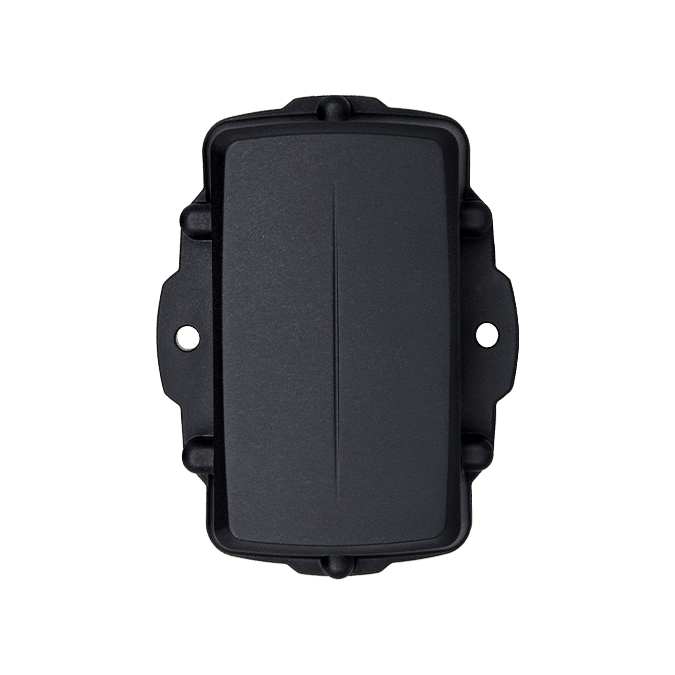
The HOROTAG RUUVI mounts under the seat, pairs over Bluetooth and learns your engine's vibration signature. After that it counts on its own: you ride, it adds up. Four steps, fifteen minutes.
Mounting the device under the seat.
- Pick a spot that's flat, clean, dry: under the seat is the standard. The main frame, the electrical box or the back of the plate work too. Avoid the immediate vicinity of the exhaust (heat) and the wheels (impacts).
- Degrease the surface with a cloth soaked in isopropyl alcohol. Let it dry for 30 s.
- Peel the film off the 3M adhesive already applied under the device. Press firmly for 30 seconds to activate the glue.
- Optional but recommended for motocross / enduro: add two zip ties crossed over it (included in the box). Belt and braces if the bike vibrates hard or gets pressure-washed regularly.
- Let the adhesive set for 24 h before the first ride so it reaches full strength.
- · Sticking it on bare plastic without cleaning: the adhesive won't hold
- · Sticking it on the scorching-hot metal engine cover
- · Leaving the device exposed to a direct spray of gravel
- · Placing another powerful Bluetooth beacon less than 10 cm away (it can interfere with syncing)
Pairing the device to the app.
- In the app, open Garage → + Add a bike.
- Scan the QR code on the activation label stuck to the packaging — the box or sleeve the device arrived in. Under the QR code, that same label carries the device ID and the pairing code in plain text, over two lines: that is the one you type in by hand if the camera refuses to cooperate. The device itself carries neither a QR code nor a pairing code — keep the box until pairing is done.
- The app checks that the device is free (not already assigned to another account). If you bought it second-hand, ask the seller to transfer it from their app: they generate a transfer token that you paste into Settings → Receive a bike.
- Enter the make, model and year of your bike. Choose the reference service program (motocross 50, 4-stroke enduro, sport road…): you can override it later.
- Confirm the starting hours: engine hours already on the meter the day of mounting (typically 0 for a new bike, otherwise an honest estimate).
Calibration 60 seconds, just once.
Calibration teaches the device the vibration signature of YOUR engine. It's needed to tell a running engine apart from a bike pushed on its stand, transport in a van, or a knock on the frame.
- Open the app, go to the bike, launch Calibration.
- Start the engine. Let it idle for the 60 seconds the app asks for.
- Switch off the engine. The calibration is saved and signed on the server: it stays valid for life for this bike.
Your first ride. You have nothing to do.
Really nothing. The device detects the start-up, counts the hours, records the session locally. No need to open the app before, during or after.
When you get back, take your phone near the bike (≤ 10 m) and open the app. Bluetooth syncing happens in the background: you see the hour meter update within seconds.
If you ride somewhere with no network (forest, paddock, abroad), no worries: the device stores your riding locally and syncs as soon as you reopen the app within Bluetooth range.
HOROTAG GPS & ULTIMATE GPS
an anti-theft first.
These two devices are cellular trackers: they report their position over the network, without your phone. So mounting has nothing to do with the RUUVI: an anti-theft device must not be findable. Engine hours, on the other hand, are estimated on their own in both cases: from the length of your rides on the HOROTAG GPS, from your trips on the ULTIMATE GPS, which also grows a mileage figure. In both cases you can adjust them.
Concealed mounting
One rule: if someone can find it in thirty seconds, the spot is wrong. Unlike the RUUVI, you're not after easy access: you're after invisible.
- Pick a hiding place: under the fairing, behind a side panel, in the void under the seat once the hatch is back on, inside the tail unit. Goal: nothing visible when the bike is simply sitting on its stand.
- Degrease the surface with isopropyl alcohol, let it dry for 30 s, then press the adhesive firmly for 30 seconds. Add two zip ties if the bike vibrates hard: for motocross and enduro, that's recommended.
- Point the face of the device skyward as much as the hiding place allows, and avoid sealing it entirely inside metal: GPS and cellular signals travel poorly through a closed metal box.
- Keep it away from the exhaust and from areas exposed to gravel or a direct pressure-washer jet.
- Don't tell anyone where it is. That's half of what makes a tracker work. If you're afraid of forgetting, write the spot down somewhere only you will see.
- · The "obvious" spot that everyone opens first
- · A fully closed metal box: the signal won't get out
- · A mounting you can rip off by hand, with no tools
Activation & first position
- In the app, open Garage → + Add a bike and scan the QR code on the activation label stuck to the packaging. The pairing code is printed in plain text just under the QR code if you would rather type it. The tracker itself carries neither a QR code nor a pairing code: keep the box until activation.
- Enter make, model, year, then the starting meter read off the dashboard the day you mount it.
- Take the bike out into the open. The tracker connects to the cellular network on its own: the first position shows up in the app within a few minutes: no need to stand next to it with your phone.
- In the tracker settings, choose whether this bike's meter is displayed in hours or in kilometres.
Setting up the anti-theft
Everything happens in the bike's Anti-theft protection screen. A switch at the top arms or disarms monitoring. Below it, four settings are enough to stop getting false alerts.
An alert comes in. What now?
The alert tells you what triggered it: movement detected, suspicious speed, movement outside the window, impact: along with the time and the distance. Three possible answers, one tap:
Keeping the hour meter
Only HOROTAG RUUVI seals hours. On a HOROTAG ULTIMATE GPS as on a HOROTAG GPS, the meter fills on its own — from trips on the ULTIMATE GPS, from the length of the detected rides on the GPS — but it remains estimated: it is up to you to realign it when it has drifted. The ULTIMATE GPS also grows a mileage figure; the GPS gives none.
- From the bike, open Adjust the meter.
- Two ways to realign it: “I rode”, where you enter the length of a ride that was missed; or “My meter reads”, where you copy the value shown on the bike and the difference is worked out for you.
- Decimals accepted (1.5 = 1 h 30), 50 h maximum per entry. Fill in the start date and a note if you want to find the ride again later.
- The meter cannot go backwards: it only ever moves one way, so the log stays credible at resale.
No device
the log, by hand.
No HOROTAG hardware on this bike yet? The log still works — but it is not free: creating a bike with no device requires the “device-free logbook” licence at €49, a one-off purchase, for life, valid for ONE bike. After that you declare your rides and the meter follows. And the day you add a device, everything already entered stays put.
Create your bike
- In the app, open Garage → + Add a bike, then choose the “No device” option instead of scanning a device. The app then asks for your licence key: with no valid entitlement on your account, the bike is not created.
- Enter make, model, year, and choose the reference service program so you get the right service dues.
- Enter the starting meter: whatever your bike shows today. Everything you declare afterwards is added on top of that base.
Declare a ride
This is the core move of this path. On a bike with no device, the session is the meter.
- On the bike, tap + Session.
- Adjust the start date and time (the app suggests "two hours ago" by default).
- Enter the duration in hours: decimals accepted, 1.5 = 1 h 30: and, if you know it, the distance in kilometres. Distance is optional: left empty, it isn't counted as 0.
- Fill in whatever you want kept in the log: place, terrain (motocross, enduro, trial, sand, hard enduro, forest, MX track…), weather, notes.
- Confirm. The ride joins the log and the duration is credited to the meter right away.
The meter follows
Every confirmed session moves the bike's hour meter forward. Service dues are based on it: the oil change at 50 h comes up when you've declared 50 h, not by guesswork.
You can also correct the meter directly via Adjust the meter, entering either the hours ridden or the value read off the bike. As everywhere at HOROTAG, the meter refuses to go backwards.
This meter is declarative, and the app shows it as such. The certified meter, sealed by the device, only exists on a HOROTAG RUUVI: that's precisely what you buy with it.
The log stays sealed
Declarative doesn't mean editable after the fact. A confirmed service entry is signed on the server: it can no longer be rewritten, only completed by a correction entry. So a buyer sees a coherent, dated, untouched history.
And if you later fit the bike with a HOROTAG RUUVI, a HOROTAG GPS or a HOROTAG ULTIMATE GPS, everything you entered stays: the device takes over, it doesn't reset the log.
Share or sell. QR + temporary link.
Three distinct uses for sharing:
- Prospective buyer at resale: from the bike, Actions → Resale link. You generate a QR or a temporary link (7 days by default, adjustable up to 90 days). The buyer scans it, sees the full service log, can download the official PDF.
- Mechanic / buddy: same but a short link (24 h). Lets your mechanic see the history before servicing.
- Permanent transfer: at the point of sale, you generate a transfer token. The buyer pastes it into their app, the bike moves to their account with all its history. The physical device stays on the bike.
When it acts up. Filtered to your path.
The questions below are the ones that apply to the path currently shown. Switch paths at the top of the page to see the others.
I binned the packaging before pairing the device
The app doesn't see the device over Bluetooth
The meter doesn't move after a ride
I'm getting an anti-theft alert when nothing is wrong
My tracker's last position is several hours old
I entered a session but the meter didn't move
The app shows "low battery"
I lost my phone, how do I get my garage back?
The app refuses to edit a service entry in the log
Human support,in France.
We reply in French, within 48 business hours max. No chatbot. If you have a special case (exotic bike, unlisted service, resale dispute), write directly to sav@horotag.com.